UbDesigner Studio · browser
Availablev2.0Freehand 3D, nothing to install.
Draw in space, sculpt, ask AI for a shape, then prepare it for printing. Everything happens in a browser tab.
Features
UbDesigner Studio
The 3D workshop in your browser: spatial drawing, AI, print preparation.
Four 3D brushes
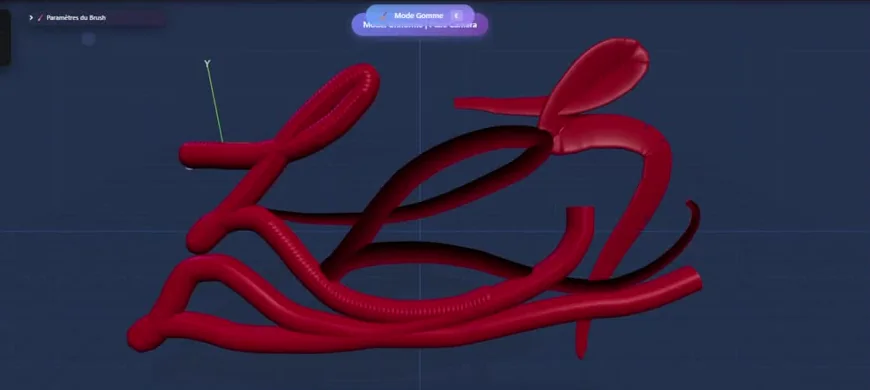
Tube, calligraphy pen, dots or uniform stroke, with eraser, selection and primitives (sphere, cube, cylinder, torus, plane).
Planes and symmetry
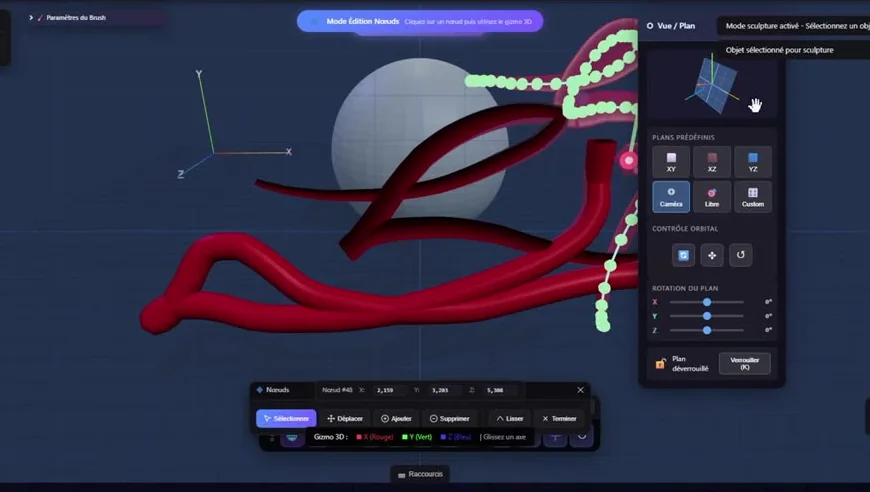
XY, XZ, YZ or camera planes; mirror symmetry on three axes or radial symmetry from 2 to 12 segments.
Stylus and hands
Pressure, tilt and palm rejection for the stylus; draw with a pinch of your fingers in front of the camera.
Blended shapes
SDF mode to blend and cut volumes smoothly; union, subtraction and intersection booleans.
Text and image to 3D
A sentence or an image becomes a 3D model placed in the scene. These online features use credits.
Vision in the browser
Depth, 3D scanning, pose and hand detection: image analysis modules built into the Studio.
Render studio
A manual mode to set materials and lighting yourself, an AI mode to turn the scene into an image.
Print preparation
Mesh diagnosis and repair, decimation, supports, local slicing and G-code export.
Gallery and augmented reality
Publish your models to the gallery and view them in augmented reality on a compatible device.
In pictures
UbDesigner Studio
Requirements
Access
Online at ub-designer.vercel.app
Exports
GLB / glTF, STL, OBJ, G-code, screenshot
Input
Mouse, stylus, touch screen, camera
Frequently asked questions
Do I need to install anything?
No. The Studio opens in a recent browser, on a computer or a tablet.
What is an AI credit?
Online AI features use credits according to their computing cost: 2 for a fast 3D generation, 4 for a render, 10 for a high-definition render or a textured 3D model. Local features are free.